











We are willing to ship to Worldwide by Airmail Service and Express shipping.
Your order will be shipped within 1-2 business days once we receive your payment.
We are not responsible for any customs duty incurred at foreign customs.
Buyers have to pay for the return cost and we pay the cost for reshipping.
Normal you will get the pakcage within 8-15days(Airmail Service) 3-7days(Express Shipping)
-35%
VR Headset Controller LEFT RIGHT Virtual Reality Motion Handle for HP Reverb G2
$129.99 $84.99
ABOVELIKE We Collect We Sell
SKU:EL00789 HP Reverb G2 VR Controller
Genuine Parts
Model: M09969-001 M09969-002
To connect the controller with the system’s Bluetooth ? pair:
Press and hold the Windows button on the controller to open it.
2. Remove the battery cover.
3. Press the small button near the end of the controller (near the wristband).
When the indicator light starts flashing, half flashes and half goes off, indicating that it is in pairing mode.
5. Select Bluetooth from the list.
6. From Bluetooth ? Select the controller from the device list.
When the controller is paired, it will vibrate.
8. Close the battery cover.
Package Include:
VR Headset Controller LEFT / RIGHT Virtual Reality Motion Handle for HP Reverb G2(New,Tested,Bulk Pack)
Related products
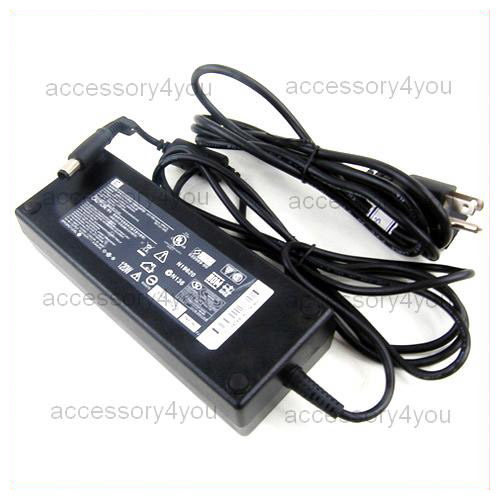
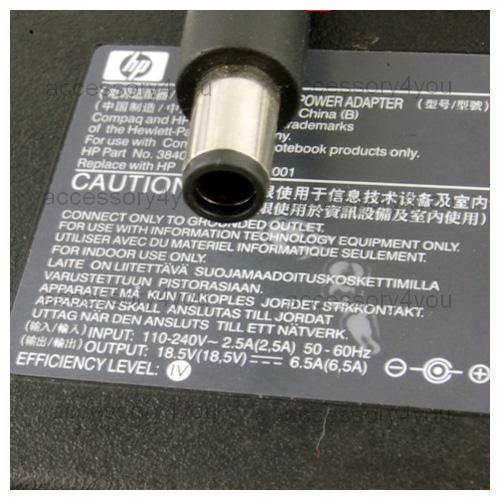
Genuine HP AC ADAPTER 18.5V 6.5A PPP017L PA-1121-12HC
Genuine HP AC ADAPTER 18.5V 6.5A PPP017L PA-1121-12HC PIN
Model:PPP017L (PA-1121-12HC)
TYPE:ACY091 HP 18.5V 6.5A PIN
Input Voltage: 100V-240VAC (50-60Hz)
Output Voltage: 18.5Volts DC
Amperage: 6.5Amps
Connector:Pin inside
Condition:LIKE NEW
Includes Adapter and Power Cord Cable(fit for your country)
Warranty:30 days
This AC adapter is available for: (Please make sure the output and the connector is same if yes it will fit for.)
HP Part # 384023-001
Spare # 391174-001


Genuine HP POWER SUPPLY 4V 1A F1903-60600 for CELLPHONE
Genuine HP POWER SUPPLY 4V 1A F1903-60600 for CELLPHONE
Model:F1903-60600
SKU:ACY125 HP 4V 1A 3412
Input Voltage: 100V-240VAC (50-60Hz) 0.3A
Output Voltage: 4Volts DC
Amperage: 1Amps
DC Plus Dimension: 3.4mmX1.2mm
Condition:Brand New 100%
Warranty:1 Year
Please make sure the output and the connector is same if yes it will fit for.
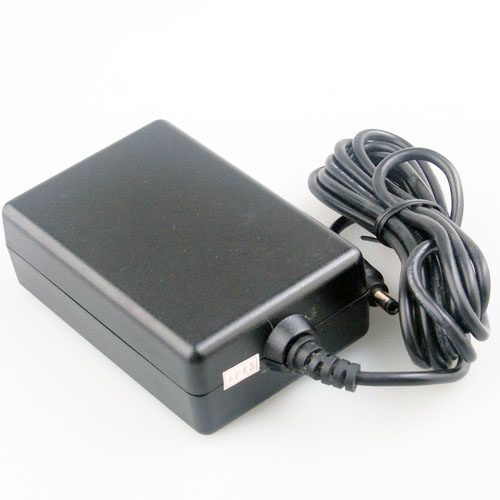

NEW Genuine HP ADP-12PB C8881-61601 6V 2A AC/DC ADAPTER
NEW Genuine HP ADP-12PB C8881-61601 6V 2A AC/DC ADAPTER
Product Detail
SKU:BAY431
Model:ADP-12PB
HP PN:C8881-61601
Input Voltage: 100V-240VAC (50-60Hz)
Output Voltage: 6Volts DC
Amperage: 2A
DC Plus Dimension:4.0 mm x 1.7 mm
Connector:
Warranty:1 Year
Includes Adapter and Power Cord Cable(fit for your country)
Please make sure the output and the connector is same if yes it will fit for.
Condition: new
Package included:
1 x HP ADP-12PB C8881-61601 6V 2A AC POWER ADAPTER
-33%
Close
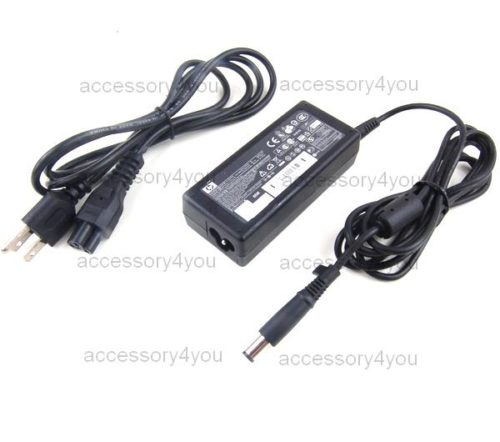
Genuine HP PPP009L 18.5V 3.5A AC Adapter 384019-001
Genuine HP PPP009L 18.5V 3.5A AC Adapter 384019-001
Adapter Type: 100% Genuine ORIGINAL laptop power supply
MODEL: PPP009L Input Voltage: 100V-240VAC (50-60Hz)
Output Voltage: 18.5Volts DC
Amperage: 3.5Amps
Connector:
Condition:NEW
Includes Adapter and Power Cord Cable(fit for your country)
Warranty:30 days
This AC adapter is available for:
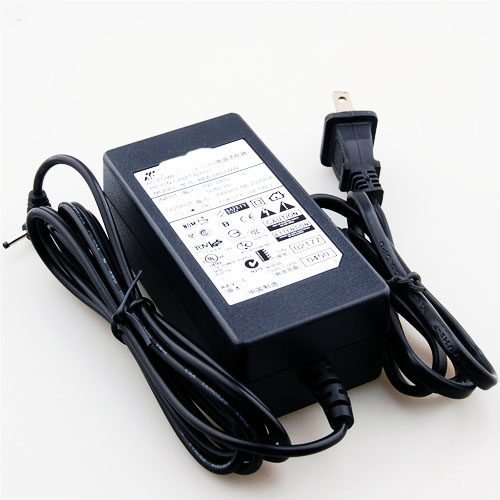

Genuine HP Bestec BPA-0801WW 3.3V 2.5A AC POWER ADAPTER
NEW Genuine Bestec BPA-0801WW 3.3V 2.5A POWER ADAPTER
Product Detail
SKU:BAY222
Model: BPA-0801WW
HP P/N:C8887-60003
Input Voltage: 100V-240VAC (50-60Hz)
Output Voltage: 3300mVolts DC
Amperage: 2500mA
DC Plus Dimension: 2.5mm x 1.0mm
Connector:
Condition: New
Warranty:1 Year
Includes Adapter and Power Cord Cable(fit for your country)
Please make sure the output and the connector is same if yes it will fit for.
Condition: new
Package included:
1 x Bestec BPA-0801WW 3.3V 2.5A POWER ADAPTER

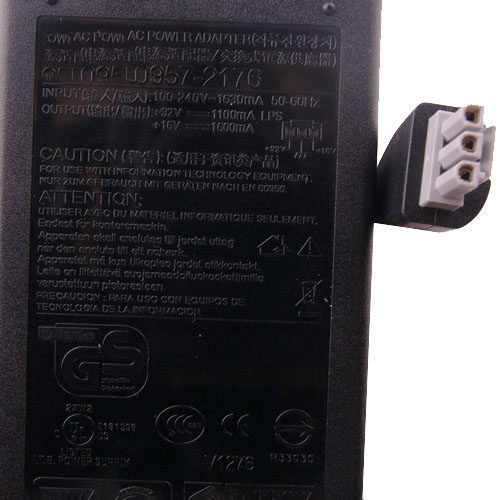
Genuine HP 0957-2175 32V 1100mA/16V 1600mA AC ADAPTER
NEW Genuine HP 0957-2175 32V 1.1A/16V 1.6A AC ADAPTER
Product Detail
SKU:BAY225
Model: 0957-2175
Input Voltage: 100V-240VAC (50-60Hz) 600mA
Output : 32V 1100mA
16V 1600mA
DC Plus Dimension: 3 pin
Connector:
Condition: New
Warranty:1 Year
Includes Adapter and Power Cord Cable(fit for your country)
Please make sure the output and the connector is same if yes it will fit for.
Compatible Models:
HP PSC 1610 All-in-One (North America and AP only) Q5587A, Q5587AR
HP PSC 1610 All-in-One (Europe) Q5587B, Q5587BR
HP PSC 1610xi All-in-One (North America) Q5588A
HP PSC 1610V All-in-One (North America) Q5589A
HP PSC 1600 All-in-One Q5590A, Q5590AR, Q5590B
HP PSC 1603 All-in-One Q5590C
HP PSC 1610 All-in-One (Japan only) Q5593C
HP PSC 1618 All-in-One (China and India only) Q5598D
PSC 2358 All-in-One (China and India) Q5788D
PSC 2355 All-in-One (North/Latin America and AP) Q5789A, Q5789AR
PSC 2355 All-in-One (Western Europe) Q5789B, Q5789BR
PSC 2355xi All-in-One (US) Q5790A
PSC 2355v All-in-One (US) Q5791A
HP PSC 2350 Q5792A
PSC 2350 Q5792B
PSC 2355 All-in-One (Japan) Q5795C
PSC 2353 All-in-One (Eastern Europe) Q5796C
OfficeJet 6210 All-in-One (North/Latin America/AP) Q5801A, Q5801AR
OfficeJet 6210xi All-in-One (North America) Q5802A
OfficeJet 6210v All-in-One (North America) Q5803A
Condition: new
Package included:
1 x HP 0957-2175 AC POWER ADAPTER
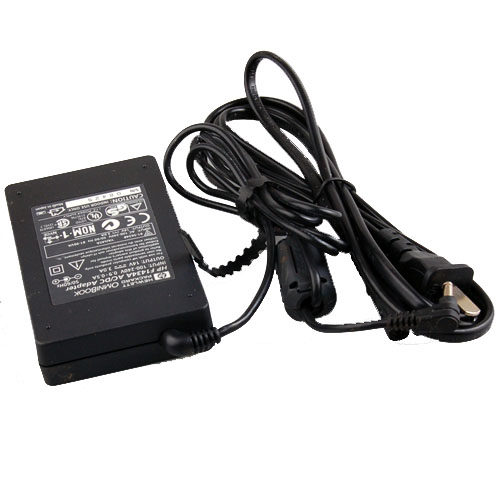
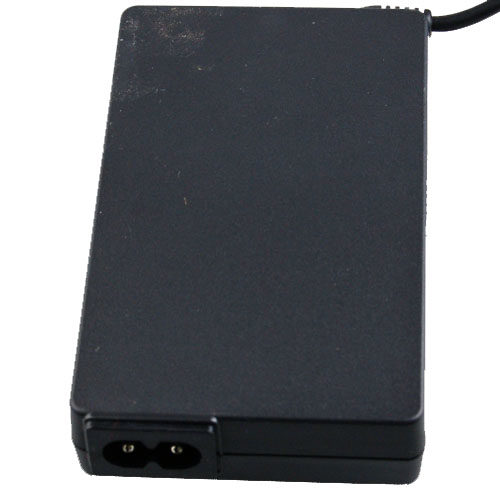
Adapter For HP OmniBook Sojourn F1430A F1430WT F1716WT For HP OMNIBOOK F1434A 14V 3A
Genuine HP OMNIBOOK F1434A 14V 3A AC DC ADAPTER
Product Detail
SKU:BAY470
Model: F1434A
Input Voltage: 100V-240V AC (50-60Hz)
Output Voltage: 14Volts DC
Amperage: 3A
DC Plus Dimension:3.4 x 1.2 mm
Connector:
Warranty:1 Year
Send the item with the Power Cord Cable or the Conversion Plug (fit for your country), and the color is black.
Please make sure the output and the connector is same as yours, if yes it will fit for.
HP OmniBook Sojourn
F1430A , F1430WT , F1716WT , F1716W
Condition: Used (the item is not 100% new, but tested)
Package included:
1 x HP OMNIBOOK F1434A 14V 3A AC POWER ADAPTER
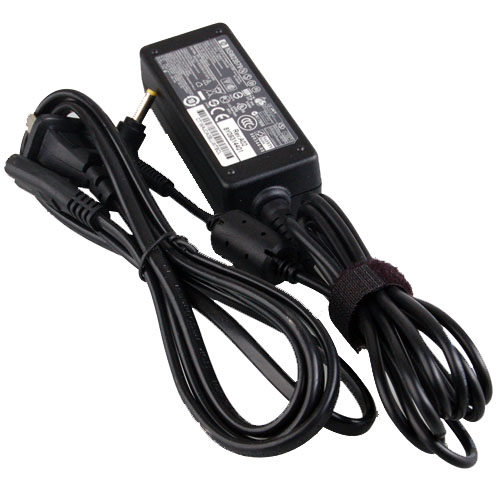

HP 110 mini NSW23579 496813-001 PPP018L 30W AC ADAPTER for HP mini 700 730 1000 1100 5101 etc
NEW HP mini NSW23579 496813-001 PPP018L 30W AC ADAPTER
Product Detail
SKU:BAY484
HP Part NO.:493092-001
Replace with Spare:496813-001
Input Voltage: 100V-240VAC (50-60Hz)
Output Voltage: 19Volts DC
Amperage: 1.58A
DC Plus Dimension:4.0 x 1.7 mm
Connector:
Warranty:1 Year
Send the item with the black color Power Cord Cable or the Conversion Plug (fit for your country).
Please make sure the output and the connector is same as yours, if yes it will fit for.
Work with:
HP mini 110 700 730 1000 1100 5101 etc
Condition:New (there is no original package available)
Package included:
1 x Ac Adapter