










We are willing to ship to Worldwide by Airmail Service and Express shipping.
Your order will be shipped within 1-2 business days once we receive your payment.
We are not responsible for any customs duty incurred at foreign customs.
Buyers have to pay for the return cost and we pay the cost for reshipping.
Normal you will get the pakcage within 8-15days(Airmail Service) 3-7days(Express Shipping)
-35%
VR Headset Controller LEFT RIGHT Virtual Reality Motion Handle for HP Reverb G2
$129.99 $84.99
ABOVELIKE We Collect We Sell
SKU:EL00789 HP Reverb G2 VR Controller
Genuine Parts
Model: M09969-001 M09969-002
To connect the controller with the system’s Bluetooth ? pair:
Press and hold the Windows button on the controller to open it.
2. Remove the battery cover.
3. Press the small button near the end of the controller (near the wristband).
When the indicator light starts flashing, half flashes and half goes off, indicating that it is in pairing mode.
5. Select Bluetooth from the list.
6. From Bluetooth ? Select the controller from the device list.
When the controller is paired, it will vibrate.
8. Close the battery cover.
Package Include:
VR Headset Controller LEFT / RIGHT Virtual Reality Motion Handle for HP Reverb G2(New,Tested,Bulk Pack)
Related products
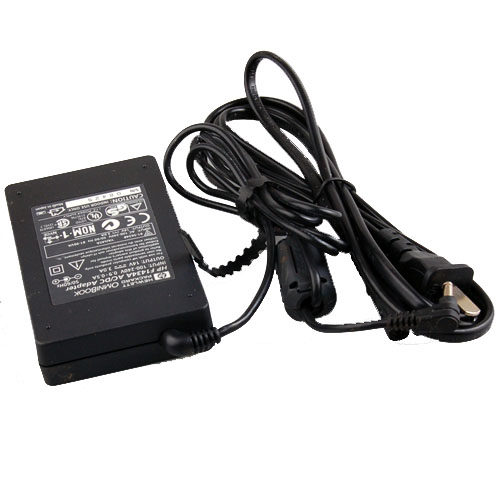
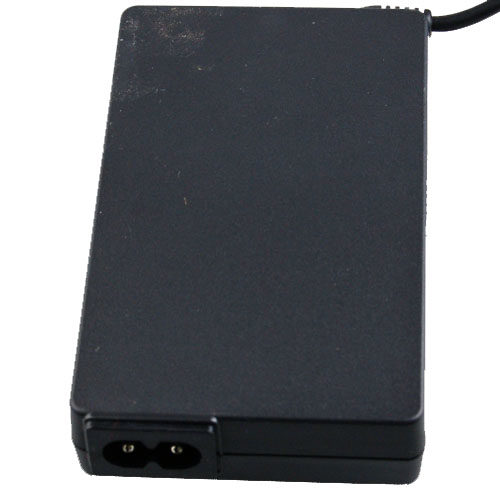
Adapter For HP OmniBook Sojourn F1430A F1430WT F1716WT For HP OMNIBOOK F1434A 14V 3A
Genuine HP OMNIBOOK F1434A 14V 3A AC DC ADAPTER
Product Detail
SKU:BAY470
Model: F1434A
Input Voltage: 100V-240V AC (50-60Hz)
Output Voltage: 14Volts DC
Amperage: 3A
DC Plus Dimension:3.4 x 1.2 mm
Connector:
Warranty:1 Year
Send the item with the Power Cord Cable or the Conversion Plug (fit for your country), and the color is black.
Please make sure the output and the connector is same as yours, if yes it will fit for.
HP OmniBook Sojourn
F1430A , F1430WT , F1716WT , F1716W
Condition: Used (the item is not 100% new, but tested)
Package included:
1 x HP OMNIBOOK F1434A 14V 3A AC POWER ADAPTER
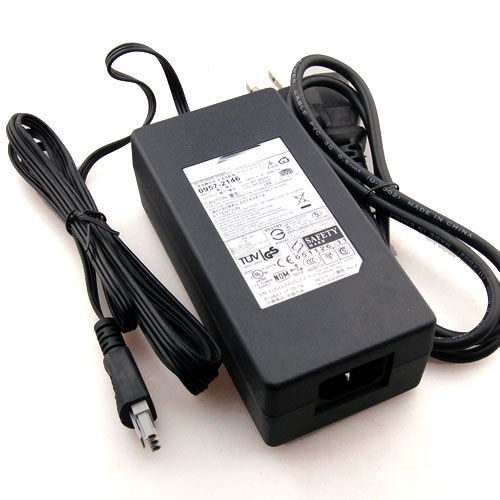
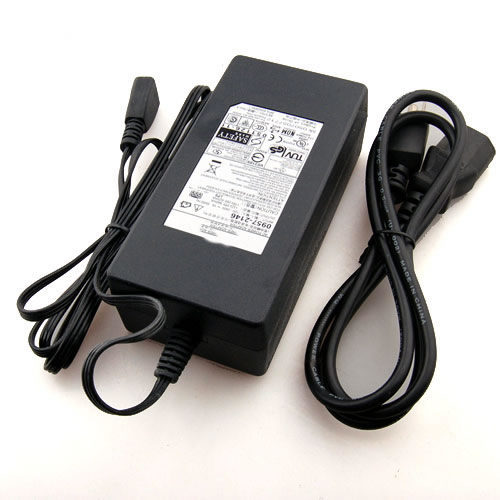
NEW ORIGINAL Adapter for HP 1315 2510 7960 7969 7900
HP Genuine 0957-2178 Ac Power Supply Adapter
Model:HP 0959 -2178
SKU:ACY029 HP 0959-2178
Input Voltage: 100V-240VAC (50-60Hz)
Output Voltage: +32V--- 940mA ; +16V---625mA
Condition: New
Warranty:1 Year
Please make sure the output and the connector is same if yes it will fit for.
Compatible Models:
fit for HP 0950-4466
HP OfficeJet PSC 1350
HP OfficeJet PSC 1355
HP OfficeJet PSC 2410
HP OfficeJet PSC 2410xi
HP OfficeJet PSC 2450
HP OfficeJet PSC 2510
HP OfficeJet PSC 2600
HP OfficeJet PSC 2610
HP OfficeJet PSC 5510
HP OfficeJet PSC 5510 all in one
HP OfficeJet PSC 5850
HP PhotoSmart 1315 all in one
HP PhotoSmart 2510
HP PhotoSmart 7960
HP PhotoSmart 7960w
HP PhotoSmart 7969
HP PhotoSmart PSC 2510
HP model numbers Q3435AR, Q3435A, Q3501A, Q3087A, Q3090A, Q3094A, Q3020AR, Q3020A, Q3023A, Q3024A, Q3021A, Q3022A
HP Bundle PSC1315+M307 Q5776A
HP OfficeJet 5500 Series All-in-One Q3434A, Q3435AR, Q3435A, Q3435P, Q3436A, Q3437A, Q3438A, Q3440A
HP PSC 1300 Series All-in-One Q3492A, Q3493A, Q3495A, Q3500A, Q3501AR, Q3501A, Q3502A, Q3503A, Q5532A, Q5534A, Q5763A, Q5765A, Q5766A, Q5767A, Q5768A, Q5769A, Q5770A, Q5771A, Q5772A
HP PSC 2410 PhotoSmart All-in-One Q3087A, Q3088A, Q3089A
HP PSC 2500 Series PhotoSmart All-in-One Q3094AR, Q3094A, Q3095A
HP PhotoSmart 7900 Series Printer Q3020AR, Q3020A, Q3021A, Q3022A, Q3023A, Q3024A Q3090A
Package Content:
AC Adapter +Power Cord Cables (Plug standard for US/UK/EU )
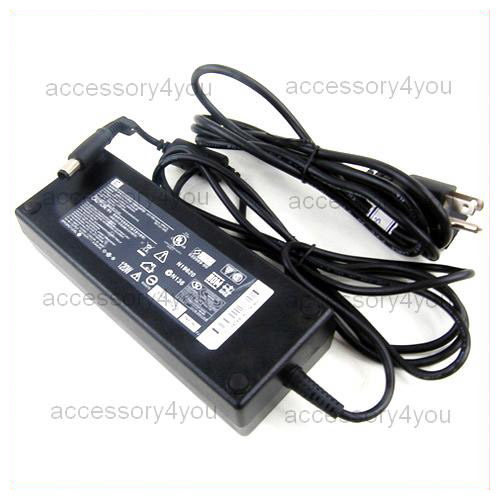
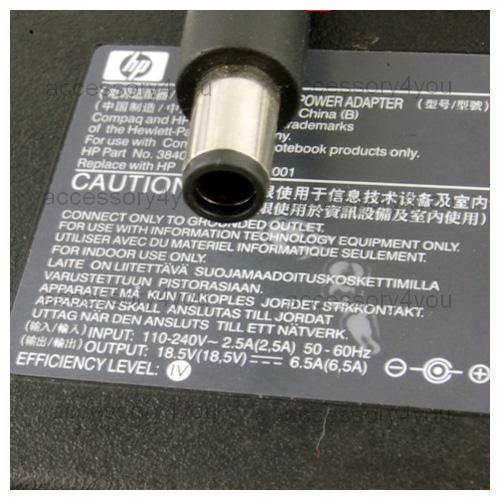
Genuine HP AC ADAPTER 18.5V 6.5A PPP017L PA-1121-12HC
Genuine HP AC ADAPTER 18.5V 6.5A PPP017L PA-1121-12HC PIN
Model:PPP017L (PA-1121-12HC)
TYPE:ACY091 HP 18.5V 6.5A PIN
Input Voltage: 100V-240VAC (50-60Hz)
Output Voltage: 18.5Volts DC
Amperage: 6.5Amps
Connector:Pin inside
Condition:LIKE NEW
Includes Adapter and Power Cord Cable(fit for your country)
Warranty:30 days
This AC adapter is available for: (Please make sure the output and the connector is same if yes it will fit for.)
HP Part # 384023-001
Spare # 391174-001
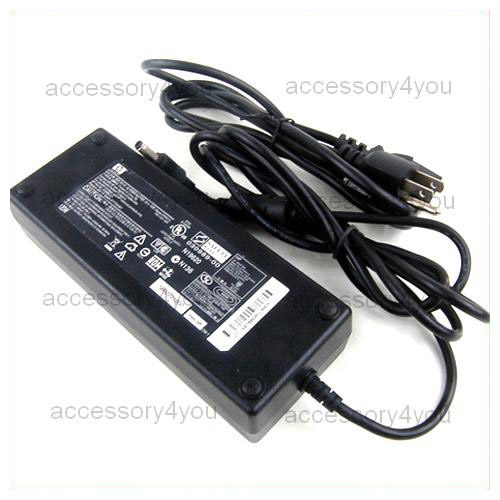
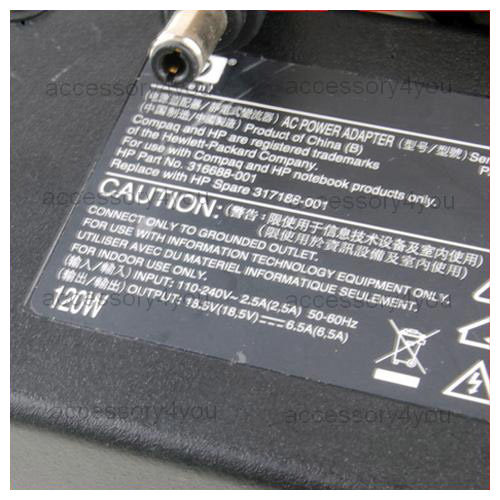
Genuine HP AC ADAPTER 18.5V 6.5A PPP017L PA-1121-12H
Genuine HP AC ADAPTER 18.5V 6.5A PPP017L PA-1121-12H
Model:PPP017L (PA-1121-12H)
TYPE:Liteon 18.5V6.5A 5525
Input Voltage: 100V-240VAC (50-60Hz)
Output Voltage: 18.5Volts DC
Amperage: 6.5Amps
Connector:
Condition:LIKE NEW
Includes Adapter and Power Cord Cable(fit for your country)
Warranty:30 days
This AC adapter is available for: (Please make sure the output and the connector is same if yes it will fit for.)
HP 316687-001 316687-002 316687-003 316688-001 316688-002 316688-003
309241-001 310925-001 317188-001 344895-001 344895-001 347438-001
350221-001 350775-001 370998-001 HP HP-OW120F13 HP-OW121F13
PA-1121-02H PA-1121-12H PPP016L PPP017H PPP017L PA-1121-02H
PA-1121-12H DC687A DC687A#ABA DC790A F1454A F1781A F4814A Compaq
309241-001 Compaq 310925-001 Compaq 55522 NEC OP-520-63001 NEC
OP-520-67501 Sager EA1120332703 Toshiba PA3032U-1ACA Toshiba
PA3097U-1ACA Toshiba PA3165U-1ACA Toshiba PA3336U-1ACA
COMPAQ BUSINESS SERIES: NX9100 NX9105 NX9110
Compaq Presario 3000 Series 2100 2500 3000 3000XX 3000US 3005 3005US
3008CL 3015 3015CA 3015US 3017 3017CL 3019CL 3020US 3045US 3050
3050US 3070US 3080US ZT3068 ZT3068CL
Compaq Presario R3000 Series R3030US R3000 R3050US R3000T R3004US
PC892UR PC892U R3120CA R3120US PD283UR PD283U R3140CA R3140US
R3160US DZ354U DZ595AS R3190EA DZ359UR R3190US
COMPAQ ZT SERIES: ZT3068 ZT3068CL ZT3070US ZT3080US
Pavilion zv5000 Series : Pavilion zv5000 Pavilion zv5000 (CTO)
Pavilion zv5000t Pavilion zv5000t (CTO) Pavilion zv5000z Pavilion
zv5000z (CTO) Pavilion zv5001 Pavilion zv5001ap Pavilion zv5001us
Pavilion zv5002 Pavilion zv5002ap Pavilion zv5003 Pavilion zv5003ap
Pavilion zv5004ap Pavilion zv5005ap Pavilion zv5006ap Pavilion
zv5007ap Pavilion zv5007la Pavilion zv5008ap Pavilion zv5009ap
Pavilion zv5010ap Pavilion zv5011ap Pavilion zv5012ap Pavilion
zv5013ap Pavilion zv5014ap Pavilion zv5014ea Pavilion zv5015ap
Pavilion zv5015ea Pavilion zv5016ap Pavilion zv5016ea Pavilion
zv5017ap Pavilion zv5018ap Pavilion zv5019ap Pavilion zv5020us
Pavilion zv5021ap Pavilion zv5022ap Pavilion zv5023ap Pavilion
zv5024ap Pavilion zv5025ap Pavilion zv5026ap Pavilion zv5027ap
Pavilion zv5028ap Pavilion zv5029ap Pavilion zv5030 Pavilion
zv5030ca Pavilion zv5030us Pavilion zv5034us Pavilion zv5037wm
Pavilion zv5040ea Pavilion zv5045ea All Pavilion zv5100 Series :
Pavilion zv5101ap Pavilion zv5101us Pavilion zv5102ap Pavilion
zv5103 Pavilion zv5103ap Pavilion zv5105us Pavilion zv5111ea
Pavilion zv5112ea Pavilion zv5113ea Pavilion zv5114ea Pavilion
zv5115ea Pavilion zv5116ea Pavilion zv5117ea Pavilion zv5119ea
Pavilion zv5120ca Pavilion zv5120us Pavilion zv5121ea Pavilion
zv5122ea Pavilion zv5123ea Pavilion zv5124ea Pavilion zv5129cl
Pavilion zv5129ea Pavilion zv5131ea Pavilion zv5132ea Pavilion
zv5133ea Pavilion zv5134ea Pavilion zv5136ea Pavilion zv5138ea
Pavilion zv5140ea Pavilion zv5142ea Pavilion zv5142qv Pavilion
zv5143ea Pavilion zv5149ea Pavilion zv5150ea Pavilion zv5157ea
Pavilion zv5159ea Pavilion zv5160ca Pavilion zv5160ea Pavilion
zv5160us Pavilion zv5161ea Pavilion zv5167ea Pavilion zv5168ea
Pavilion zv5169cl Pavilion zv5169ea Pavilion zv5171ea Pavilion
zv5173ea Pavilion zv5175ea Pavilion zv5180ea Pavilion zv5183ea
Pavilion zv5185ea Pavilion zv5191ea
All Pavilion zv5200 Series : Pavilion zv5200ea Pavilion zv5201ea
Pavilion zv5202ea Pavilion zv5202us Pavilion zv5203ea Pavilion
zv5204ea Pavilion zv5205ap Pavilion zv5205ea Pavilion zv5206ap
Pavilion zv5207ap Pavilion zv5207ea Pavilion zv5208ap Pavilion
zv5208ea Pavilion zv5209ap Pavilion zv5209ea Pavilion zv5210ap
Pavilion zv5210ca Pavilion zv5210ea Pavilion zv5210us Pavilion
zv5211ap Pavilion zv5211ea Pavilion zv5212ap Pavilion zv5212EA
Pavilion zv5213ap Pavilion zv5213ea Pavilion zv5214ap Pavilion
zv5214ea Pavilion zv5215ap Pavilion zv5215ea Pavilion zv5216ap
Pavilion zv5217ap Pavilion zv5217ea Pavilion zv5218ea Pavilion
zv5219ea Pavilion zv5220ca Pavilion zv5220us Pavilion zv5222EA
Pavilion zv5223EA Pavilion zv5225ea Pavilion zv5226ea Pavilion
zv5227ea Pavilion zv5227wm Pavilion zv5228ea Pavilion zv5229ea
Pavilion zv5230ea Pavilion zv5230us Pavilion zv5231ea Pavilion
zv5232ea Pavilion zv5233ea Pavilion zv5234ea Pavilion zv5235ca
Pavilion zv5235ea Pavilion zv5235us Pavilion zv5236ea Pavilion
zv5237ea Pavilion zv5238ea Pavilion zv5240ca Pavilion zv5240us
Pavilion zv5240xx Pavilion zv5245ea Pavilion zv5246ea Pavilion
zv5247la Pavilion zv5250ea Pavilion zv5255ea Pavilion zv5255us
Pavilion zv5257la Pavilion zv5260us Pavilion zv5265ea Pavilion
zv5267la Pavilion zv5268ea Pavilion zv5269ea Pavilion zv5270ea
Pavilion zv5270us Pavilion zv5271ea Pavilion zv5272ea Pavilion
zv5285ea Pavilion zv5287la Pavilion zv5290ea
All Pavilion zv5300 Series : Pavilion zv5301ap Pavilion zv5301ea
Pavilion zv5302EA Pavilion zv5303ea Pavilion zv5304EA Pavilion
zv5307EA Pavilion zv5308ea Pavilion zv5310ea Pavilion zv5310us
Pavilion zv5315ea Pavilion zv5316us Pavilion zv5320ca Pavilion
zv5320ea Pavilion zv5320us Pavilion zv5321EA Pavilion zv5322EA
Pavilion zv5323ea Pavilion zv5324ea Pavilion zv5325ca Pavilion
zv5325ea Pavilion zv5326ea Pavilion zv5326us-b Pavilion zv5327ea
Pavilion zv5328ea Pavilion zv5329ea Pavilion zv5330ca Pavilion
zv5330us Pavilion zv5331ea Pavilion zv5340ea Pavilion zv5340us
Pavilion zv5342qv Pavilion zv5343us Pavilion zv5346us Pavilion
zv5347wm Pavilion zv5348rs Pavilion zv5356us-b Pavilion zv5357ea
Pavilion zv5358ea Pavilion zv5359ea Pavilion zv5360us Pavilion
zv5362ea Pavilion zv5364ea Pavilion zv5365EA Pavilion zv5366ea
Pavilion zv5367ea Pavilion zv5367wm Pavilion zv5368ea Pavilion
zv5369ea Pavilion zv5370us Pavilion zv5371ea Pavilion zv5372ea
Pavilion zv5373EA Pavilion zv5374ea Pavilion zv5375EA Pavilion
zv5376EA Pavilion zv5377ea Pavilion zv5378ea Pavilion zv5379ea
Pavilion zv5380ea Pavilion zv5380us Pavilion zv5381ea Pavilion
zv5382ea Pavilion zv5383ea Pavilion zv5385ea Pavilion zv5386US
Pavilion zv5390ea
All Pavilion zv5400 Series : Pavilion zv5400 Pavilion zv5400t
Pavilion zv5401ap Pavilion zv5402ap Pavilion zv5402ea Pavilion
zv5403ap Pavilion zv5403EA Pavilion zv5404ap Pavilion zv5404ea
Pavilion zv5404us Pavilion zv5405ap Pavilion zv5405ea Pavilion
zv5405us Pavilion zv5406ap Pavilion zv5407ea Pavilion zv5408ea
Pavilion zv5410EA Pavilion zv5410us Pavilion zv5411ea Pavilion
zv5412EA Pavilion zv5413EA Pavilion zv5414EA Pavilion zv5415ca
Pavilion zv5415EA Pavilion zv5416EA Pavilion zv5417ea Pavilion
zv5418ea Pavilion zv5419ea Pavilion zv5420ca Pavilion zv5420ea
Pavilion zv5420us Pavilion zv5421ea Pavilion zv5422ea Pavilion
zv5425EA Pavilion zv5430us Pavilion zv5434RS Pavilion zv5436EA
Pavilion zv5437EA Pavilion zv5438ea Pavilion zv5440ea Pavilion
zv5440us Pavilion zv5445EA Pavilion zv5445us Pavilion zv5446ea
Pavilion zv5450ca Pavilion zv5450EA Pavilion zv5450us Pavilion
zv5452EA Pavilion zv5454rs Pavilion zv5455ea Pavilion zv5455us
Pavilion zv5456cl Pavilion zv5456ea Pavilion zv5457EA Pavilion
zv5458EA Pavilion zv5460EA Pavilion zv5460us Pavilion zv5462EA
Pavilion zv5463ea Pavilion zv5464ea Pavilion zv5465ea Pavilion
zv5466cl Pavilion zv5466EA Pavilion zv5467EA Pavilion zv5468EA
Pavilion zv5469EA Pavilion zv5470EA Pavilion zv5470us Pavilion
zv5471EA Pavilion zv5472ea Pavilion zv5473ea Pavilion zv5474EA
Pavilion zv5475ea Pavilion zv5476EA Pavilion zv5476cl Pavilion
zv5480ea Pavilion zv5481ea Pavilion zv5482EA Pavilion zv5384ea
Pavilion zv5485EA Pavilion zv5490EA Pavilion zv5495EA Pavilion
zv5499ea
All Pavilion zx5000 Series : Pavilion zx5000 Pavilion zx5000 (CTO)
Pavilion zx5001 Pavilion zx5001us Pavilion zx5002 Pavilion zx5002ea
Pavilion zx5003ea Pavilion zx5005ea Pavilion zx5008ea Pavilion
zx5010ea Pavilion zx5011ea Pavilion zx5012ea Pavilion zx5020ea
Pavilion zx5022ea Pavilion zx5030ea Pavilion zx5035ea Pavilion
zx5037ea Pavilion zx5038ea Pavilion zx5039ea Pavilion zx5040ca
Pavilion zx5040ea Pavilion zx5040us Pavilion zx5041ea Pavilion
zx5042ea Pavilion zx5043ea Pavilion zx5044ea Pavilion zx5045ea
Pavilion zx5049ea Pavilion zx5050ea Pavilion zx5051ea Pavilion
zx5052ea Pavilion zx5060us Pavilion zx5065us Pavilion zx5070us
Pavilion zx5078cl All Pavilion zx5100 Series : Pavilion zx5109ea
Pavilion zx5113ea Pavilion zx5128ea Pavilion zx5129ea Pavilion
zx5151ea Pavilion zx5159 Pavilion zx5170ea Pavilion zx5180us
Pavilion zx5190us
All Pavilion zx5200 Series : Pavilion zx5265ea Pavilion zx5273ea
Pavilion zx5275ea Pavilion zx5280us All Pavilion zx5300 Series :
Pavilion zx5369cl
HP ZD7000 SERIES: ZD7000 ZD7001US ZD7005US ZD7010CA ZD7012EA
ZD7015US ZD7020US ZD7030US ZD7058CL ZD7101US ZD7310CA ZD7310CAF
ZD7310US ZD7360US ZD7380CA ZD7380US
HP Pavilion DC924A DC924AR DC925A DC925AR DG956A DG956AR DG958A
DG958AR DG959A DG959AR DM788A DM788AR DM790A DM790AR DM791A DM791AR
DM793A DM793AR DN730AV DP353E DP446U DP447U DP448U DP448UR DP761E
DP762E DP763E DP764E DP765E DP766E DP767E DP768E DP769E DP770E
DR089U DR089UR DR340U DR761E DR762E DR768E DR769E DR770E DT859U
Toshiba Satellite A35 series A35-S159 A35-S1591 A35-S1592 A35-S1593
A35-S209 A35-S2091 A60 SERIES A60-S156 A60-S1561 A60-S166 A60-S1661
A60-S1662 A65 SERIES A65-S1062 A65-S1063 A65-S1064 A65-S1065
A65-S126 A65-S1261 A65-S136 A65-S1361 A65-S1662 A65-S1762 A70
A70-S2362 A70-S256 A70-S2561 A75 A75-S206 A75-S2061 A75-S226
A75-S2261 A75-S276 A75-S2761 A75-S2762 P15-S470 P25-S670 P25-S676
P25-S6761
SAGER: Sager NP4060 Sager NP4080 Sager NP4760
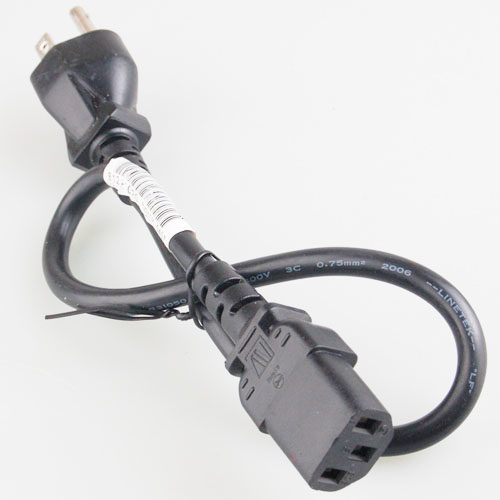
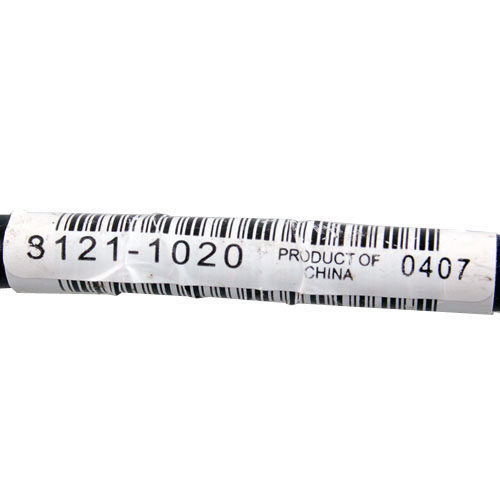
NEW 3-Prong Port US Power Adapter Cord/Cable 8121-1020 HP US Power Adapter Cord/Cable 8121-1020 3P
NEW 3-Prong Port US Power Adapter Cord/Cable 8121-1020
Product Detail
SKU:BAY486
High quality.
HP P/N:8121-1020
Length: 50 cm
0.75MM pure copper
Condition:New (there is no original package available)
Package included:
1 x Ac Adapter CABLE
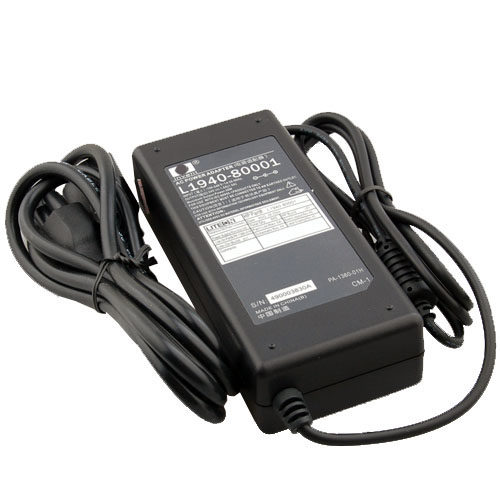
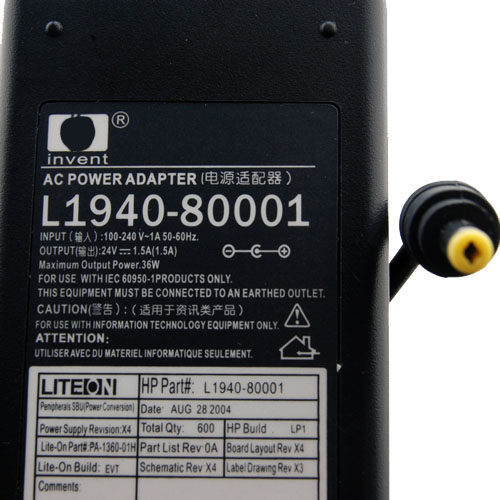
NEW Genuine HP L1940-80001 24V 1.5A AC POWER ADAPTER
NEW Genuine HP L1940-80001 24V 1.5A AC POWER ADAPTER
Product Detail
SKU:BAY236
MODEL: L1940-80001
Input Voltage: 100V-240VAC (50-60Hz)
Output Voltage: 24Volts DC
Amperage: 1.5A
DC Plus Dimension: 4.8mm x 1.5 mm
Connector:
Condition: New
Warranty:1 Year
Includes Adapter and Power Cord Cable(fit for your country)
Please make sure the output and the connector is same if yes it will fit for.
L1940-80001
HP ScanJet 4500C 4570C 4750C 4850 5500C 7650
Hewlett Packard C9904A
Hewlett Packard C9910A
Hewlett Packard C9913A
Hewlett Packard C9917A
Hewlett Packard C9919A
Hewlett Packard C9920A
Hewlett Packard C9923A
Hewlett Packard C9924A
Hewlett Packard C9927A
Hewlett Packard C9928A
Hewlett Packard C9928AR
Hewlett Packard C9929A
Hewlett Packard L1910A
Hewlett Packard L1912A
Hewlett Packard L1940A
Hewlett Packard L1950A
Hewlett Packard L1952A
Hewlett Packard Q3870A
Hewlett Packard Q3871A
Hewlett Packard ScanJet 5500Cxi
Hewlett Packard Scanjet 4850
Hewlett Packard Scanjet 5500c
HP ScanJet 4500C ( C9904A )
HP ScanJet 4500C ( C9910A )
HP ScanJet 4500C or 5550C base product (C9913A) ( C9913A )
HP ScanJet 4500Cxi ( C9917A )
HP ScanJet 4570C ( C9920A )
HP ScanJet 4570Cv ( C9924A )
HP ScanJet 4570cxi ( C9923A )flatbed scanner
HP ScanJet 4750c digital blatbed scanner ( C9927A )
HP ScanJet 4850 Photo Scanner ( L1950A )
HP ScanJet 4850 Photo Scanner - 220 Volt ( L1950A-220V )
HP ScanJet 4890 Photo Scanner ( L1952A )
HP ScanJet 5500C ( C9929A )
HP ScanJet 5500cxi digital flatbed scanner ( C9928A )
HP ScanJet 5530 PhotoSmart scanner ( Q3871A )
HP ScanJet 5530 series base product ( Q3870A )
HP ScanJet 5550C ( C9919A )
HP ScanJet 5590 Flatbed scanner ( L1910A )
HP ScanJet 5590p Digital Flatbed Scanner ( L1912A )
HP ScanJet 5590p Digital Flatbed Scanner ( L1912A-220V )
HP Scanjet 7650 Document Flatbed Scanner ( L1940A )
HP Scanjet 7650 Document Flatbed Scanner ( L1940A-220V )
Condition:NEW
Package included:
1 x HP L1940-80001 24V 1.5A AC ADAPTER
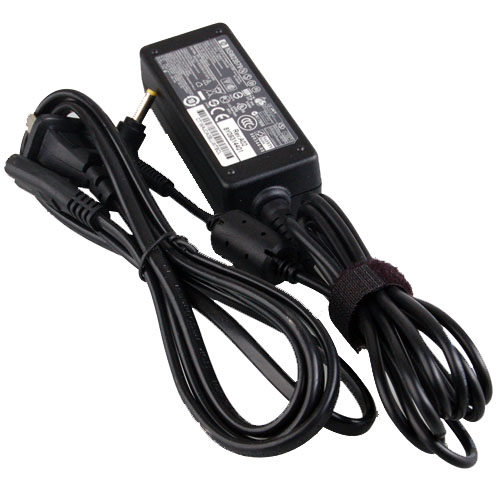

HP 110 mini NSW23579 496813-001 PPP018L 30W AC ADAPTER for HP mini 700 730 1000 1100 5101 etc
NEW HP mini NSW23579 496813-001 PPP018L 30W AC ADAPTER
Product Detail
SKU:BAY484
HP Part NO.:493092-001
Replace with Spare:496813-001
Input Voltage: 100V-240VAC (50-60Hz)
Output Voltage: 19Volts DC
Amperage: 1.58A
DC Plus Dimension:4.0 x 1.7 mm
Connector:
Warranty:1 Year
Send the item with the black color Power Cord Cable or the Conversion Plug (fit for your country).
Please make sure the output and the connector is same as yours, if yes it will fit for.
Work with:
HP mini 110 700 730 1000 1100 5101 etc
Condition:New (there is no original package available)
Package included:
1 x Ac Adapter
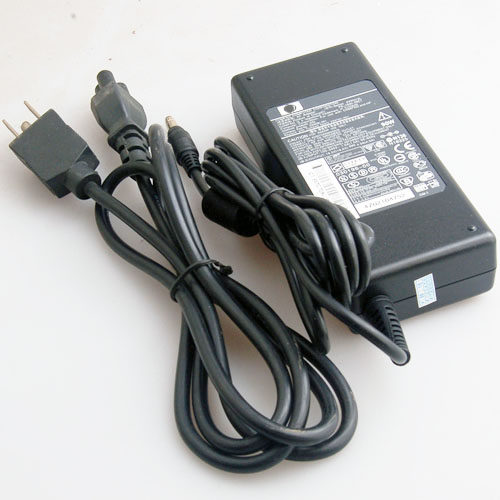
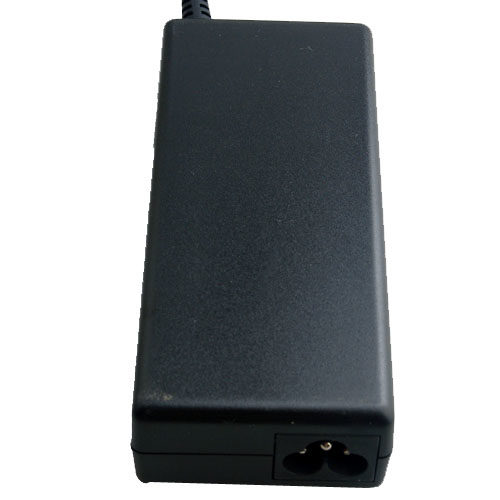
Genuine HP 239428-001 239705-001 18.5V 4.9A AC ADAPTER
Genuine HP 239428-001 239705-001 18.5V 4.9A AC ADAPTER
Product Detail
SKU:BAY303
MODEL:PPP012L
COMPAQ PART NO.:239428001
REPLACE WITH COMPAQ SPARE:239705-001
Input Voltage: 100-240V~50/60 Hz
Output Voltage: 18.5Volts DC
Amperage: 4.9A
DC Plus Dimension: 4.8mm x 1.7mm
Connector:
Condition: NEW
Warranty:1 Year
Includes Adapter and Power Cord Cable(fit for your country)
Please make sure the output and the connector is same if yes it will fit for.
Package included:
1 x HP 239428-001 239705-001 18.5V 4.9A AC ADAPTER